
Should AI See Your Bank Account? How to Use AI for Budgeting Safely
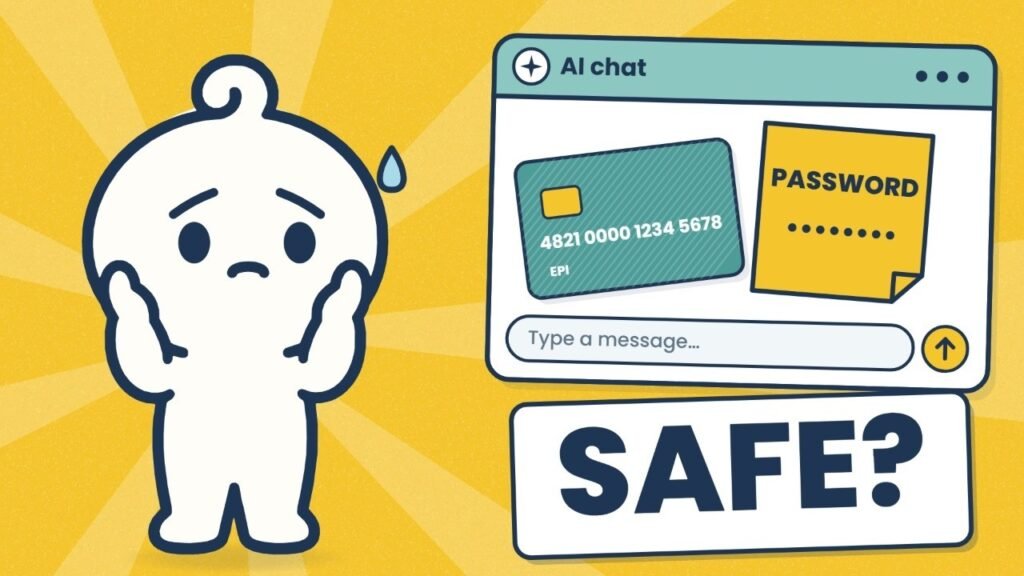
Quick answer: AI can safely help with a budget if you give it your numbers and never your keys. Share rounded totals by category, like “rent $1,600, food about $550.” Never share passwords, account or card numbers, or your Social Security number. Turn off training in the settings before you paste anything.
I’ve watched coworkers and friends do this more than once. They open ChatGPT, paste in a whole month of bank statement, and type “make me a budget.” Name, address, account number, every purchase. Done in ten seconds.
They’re not unusual. About 1 in 4 Americans (26%) have used an AI chatbot for money questions, according to a Harris Poll survey. ChatGPT can now link straight to your bank, too.
So is it safe? Let’s follow what happens after you hit send.
Where your chat goes after you hit send
It doesn’t disappear. Your chat is saved on the company’s servers, sometimes with no end date, and some companies have people read chats to help improve their AI.
In 2025, Stanford researchers read the privacy policies of the six biggest US AI developers: Amazon, Anthropic, Google, Meta, Microsoft and OpenAI. All six appear to train their AI on your chats by default, unless you switch it off.
And chats don’t always stay private. In the summer of 2025, about 4,500 shared ChatGPT conversations turned up in Google search results, eWeek reported. Anyone could find them.
The rule I go by: assume anything you type could be read by someone else.
AI needs your numbers, not your keys
Here’s the idea the whole video is built on.
Numbers describe your money: what you earn, what you spend, what you owe. Keys open your money: passwords, account numbers, card numbers, your Social Security number, the one-time codes your bank texts you.
A budget runs entirely on numbers. Not one budgeting question needs a key. So if AI only ever sees your numbers, the worst-case leak is “someone learned I spend $550 a month on food.” Annoying, but nobody can empty your account with that.
How to share your money with AI safely: 4 steps
1. Round it
Say “about $4,000 a month,” not “$4,013.27.” The advice comes out the same.
What goes wrong: exact amounts can match one particular paycheck or transfer. Rounded numbers can’t be traced back to you.
2. Group it
Share totals by category (rent, food, transport, fun) instead of every single purchase.
What goes wrong: a full list of purchases is a diary. It shows where you shop, which gym you go to, which pharmacy you use, and what time you get coffee. AI doesn’t need any of that to tell you food is eating your budget.
3. Clean it
If you really want to paste a statement, black out your name, address, account numbers and the last four digits of your card first.
What goes wrong: people clean the top of the page and forget the footer, which often repeats the account number.
4. Lock it
Turn off training, or use a temporary chat. (Exact steps for each app are below.)
What goes wrong: a temporary chat isn’t saved to your history, but it isn’t instantly gone either. ChatGPT keeps temporary chats for up to 30 days, and Gemini keeps them for up to 72 hours. That’s another reason to use steps 1 to 3 as well.
Before and after: what a safe paste looks like
This is made-up data, but it’s exactly the kind of thing I’ve seen people paste.
Before (don’t paste this):
Jordan Smith, 214 Maple St, Austin TX
Checking ****8812   Routing 111000025
03/02  PAYROLL ACME CORP          +2,006.54
03/03  HEB #412 AUSTIN            -86.21
03/04  STARBUCKS 0921             -6.45
03/05  ZELLE TO M. SMITH          -400.00
03/06  PLANET FITNESS             -24.99
...(80 more lines)
After (safe to paste):
Income: about $4,000 a month after tax
Rent: $1,600
Groceries: about $450
Eating out and coffee: about $250
Transport: about $200
Subscriptions and gym: about $90
Debt payments: $300
Everything else: about $500
Both give AI everything it needs to build a budget. Only the first one gives a stranger something to work with.
A prompt you can copy and paste
Fill in your own rounded numbers:
Act as a budgeting coach. Here are my rounded monthly numbers.
Income after tax: about $____
Rent or mortgage: $____
Groceries: about $____
Eating out: about $____
Transport: about $____
Subscriptions: about $____
Debt payments: $____
Everything else: about $____

My goal: ________ (e.g. save $300 a month, pay off a card by June)

1. Show where my money goes as percentages.
2. Suggest 3 realistic changes and how much each saves per month.
3. Show your math so I can check it.
Don't ask me for account numbers or personal details.
That last line matters. “Show your math” lets you check the AI’s work, which is the next problem.
How to turn off training in ChatGPT, Claude and Gemini
These settings change from time to time. If a menu looks different, search the app’s help page for the setting name in bold.
ChatGPT
- Click your profile picture, then Settings.
- Open Data Controls.
- Turn off Improve the model for everyone. This applies to your whole account, on every device.
- For a one-off question, start a Temporary Chat. It isn’t used for training and is deleted after 30 days.
Claude
- Click your name, then Settings, then Privacy.
- Turn off Help improve Claude.
- For a one-off question, start an Incognito chat (the ghost icon). It isn’t saved to your history or used for training.
Gemini
- Go to myactivity.google.com/product/gemini.
- Click the Keep Activity setting and choose Turn off (or Turn off and delete activity).
- For a one-off question, use Temporary Chat. Google keeps it for up to 72 hours and doesn’t use it for training.
Should you link your bank account to ChatGPT?
Not yet, in my view.
When you link a bank, ChatGPT can see your balances and every purchase. It can’t see full account numbers and it can’t move money, which is good. But every connection is one more door a thief could try, and you lose steps 1 to 3 completely: it sees every purchase, unrounded.
The Identity Theft Resource Center agrees. Its CEO, Eva Velasquez, told Yahoo Finance the technology is too new to recommend linking, and suggested typing your spending and income in yourself. That way you choose exactly what it sees.
The biggest mistake: trusting every answer
Oversharing worries people most, but the mistake I see more often is quieter. People take whatever AI says as fact.
AI sounds equally confident when it’s right and when it’s wrong. It can add up your categories incorrectly, invent a tax rule, or quote an interest rate from years ago, all in the same calm tone. In the same Harris Poll survey, 29% of people who acted on AI money advice said it hurt their finances. That’s nearly 3 in 10.
So:
- Re-add the totals yourself. It takes two minutes with a calculator.
- Check anything about taxes, debt or interest rates against an official source or your bank.
- If a suggestion would move real money, sleep on it.
(For what it’s worth, I don’t use AI chatbots for my own money at all. I use Epiphany Money, the app I’m building, partly because of everything above. Its answers come from fixed, checked templates, not a chatbot making things up, and your data is never used to train an AI.)
Already shared too much? Do this today
If you’ve already pasted a full statement or a password, don’t panic. Work through this:
- Delete the chat. In ChatGPT, Claude and Gemini you can delete a single conversation from your history. This doesn’t undo training that already happened, but it removes the copy tied to your account.
- Turn off training using the steps above, so it doesn’t happen again.
- Change any password you pasted, and turn on two-step verification for that account.
- Pasted a full card number? Call your card company and ask for a new number. It’s free and takes about ten minutes.
- Pasted your Social Security number? Freeze your credit with Equifax, Experian and TransUnion. It’s free and stops anyone opening new accounts in your name.
- Watch your accounts for a few weeks, and turn on alerts for any purchase over a set amount.
Your checklist before you paste anything
Screenshot this:
- ☐ Numbers are rounded
- ☐ Spending is grouped into categories
- ☐ No name, address or account numbers
- ☐ No passwords, PINs or codes, ever
- ☐ Training is off, or I’m in a temporary chat
- ☐ I’ll double-check the math before acting
Share the numbers, not the keys.
Want to see where your money goes without handing it to a chatbot? Join the Epiphany Money waitlist.